
Solutions
Resources
Company
Get Demo

700+
700+
AI Apps based on use-cases
AI Apps based on use-cases
What’s New in SkyStudio
We’re always enhancing SkyStudio to bring you a better experience. Here’s what’s new!!
Backed by the best






New features
Improvements

GPT-5.6 Models Added
GPT-5.6 Sol, Terra, and Luna are now available across SkyStudio’s Assistant, Chat, and Workflow modules. Each model is designed for a different set of business and technical requirements:
GPT-5.6 Sol
Built for advanced reasoning, complex analysis, software development, and multi-step technical tasks that require high accuracy and depth.GPT-5.6 Terra
Designed for document analysis, content creation, data interpretation, and multimodal tasks that require strong context awareness and consistent output quality.GPT-5.6 Luna
Optimized for fast response times, short-form content, routine business tasks, and high-volume workflows where efficiency is a priority.
Together, the GPT-5.6 model family provides flexible options for a wide range of enterprise use cases.
GPT-5.6 Sol, Terra, and Luna are now available across SkyStudio’s Assistant, Chat, and Workflow modules. Each model is designed for a different set of business and technical requirements:
GPT-5.6 Sol
Built for advanced reasoning, complex analysis, software development, and multi-step technical tasks that require high accuracy and depth.GPT-5.6 Terra
Designed for document analysis, content creation, data interpretation, and multimodal tasks that require strong context awareness and consistent output quality.GPT-5.6 Luna
Optimized for fast response times, short-form content, routine business tasks, and high-volume workflows where efficiency is a priority.
Together, the GPT-5.6 model family provides flexible options for a wide range of enterprise use cases.
New features
Improvements

Claude Sonnet 5 Model Added
Claude Sonnet 5, Anthropic’s latest Sonnet model, is now available across SkyStudio’s Assistant, Chat, and Workflow modules. It is built for advanced reasoning, long-context tasks, coding, document analysis, and multi-step workflows, making it a strong fit for technical documentation, data analysis, translation, reporting, and complex enterprise processes that require consistent, high-quality results. As with every model on SkyStudio, your data is processed on enterprise-secured infrastructure.
Claude Sonnet 5, Anthropic’s latest Sonnet model, is now available across SkyStudio’s Assistant, Chat, and Workflow modules. It is built for advanced reasoning, long-context tasks, coding, document analysis, and multi-step workflows, making it a strong fit for technical documentation, data analysis, translation, reporting, and complex enterprise processes that require consistent, high-quality results. As with every model on SkyStudio, your data is processed on enterprise-secured infrastructure.
New features
Improvements

Analysis Agent Now Available
SkyStudio’s new Analysis Agent enables users to analyze CSV, TSV, Excel, JSON, PDF, and Word files without requiring coding or formula expertise. It can summarize and compare data, perform calculations, identify missing or inconsistent records, and present key findings through tables, charts, trend analyses, and executive summaries.
Analysis results can be generated in Excel, PDF, HTML, or PowerPoint formats. The Analysis Agent provides a powerful and practical solution for large-scale data analysis, financial reporting, document comparison, survey evaluation, and executive presentations.
SkyStudio’s new Analysis Agent enables users to analyze CSV, TSV, Excel, JSON, PDF, and Word files without requiring coding or formula expertise. It can summarize and compare data, perform calculations, identify missing or inconsistent records, and present key findings through tables, charts, trend analyses, and executive summaries.
Analysis results can be generated in Excel, PDF, HTML, or PowerPoint formats. The Analysis Agent provides a powerful and practical solution for large-scale data analysis, financial reporting, document comparison, survey evaluation, and executive presentations.
New features
Improvements

Claude Opus 4.8 Model Added
Claude Opus 4.8, Anthropic's most advanced Opus model, is now available across SkyStudio's Assistant, Chat, and Workflow modules. It's built for deep analysis, long-context tasks, and multi-step reasoning, making it a strong fit for large-scale software development, financial and legal document review, and complex enterprise workflows that demand high accuracy. As with every model on SkyStudio, your data is processed on enterprise-secured infrastructure.
Claude Opus 4.8, Anthropic's most advanced Opus model, is now available across SkyStudio's Assistant, Chat, and Workflow modules. It's built for deep analysis, long-context tasks, and multi-step reasoning, making it a strong fit for large-scale software development, financial and legal document review, and complex enterprise workflows that demand high accuracy. As with every model on SkyStudio, your data is processed on enterprise-secured infrastructure.
New features
Improvements

GOAT Thinking is here
Thinking. Sovereign LLM. Your data never leaves.
Our first reasoning model is now available in SkyStudio. GOAT Thinking thinks deeply through your hardest problems while staying quick on everyday ones — and like every GOAT model, it runs entirely inside your environment, so your data never leaves. Turn it on from the model picker in chat and in any assistant you build.
This release also expands what your assistants can produce and how they work:
Document generation create PDF, Excel, PPTX, and DOCX files directly from your assistants.
Rebuilt web and image tools now running on our skill architecture for more reliable, modular behavior.
Side-by-side file preview agent files now open in the right-hand canvas, so you can read and work at the same time.
Thinking. Sovereign LLM. Your data never leaves.
Our first reasoning model is now available in SkyStudio. GOAT Thinking thinks deeply through your hardest problems while staying quick on everyday ones — and like every GOAT model, it runs entirely inside your environment, so your data never leaves. Turn it on from the model picker in chat and in any assistant you build.
This release also expands what your assistants can produce and how they work:
Document generation create PDF, Excel, PPTX, and DOCX files directly from your assistants.
Rebuilt web and image tools now running on our skill architecture for more reliable, modular behavior.
Side-by-side file preview agent files now open in the right-hand canvas, so you can read and work at the same time.
New features
Improvements

3 New LLM Models Just Landed on SkyStudio
We’ve also added three powerful models to SkyStudio, ready for your workflows, agents, and chats
Claude Opus 4.7 (Anthropic) — Anthropic’s most capable model for complex analysis, coding, and creative work that demands deep reasoning, with a 200K-token context window. Best for research agents, code review, long-document analysis, and strategy planning.
Gemini 3.1 Pro (Google) — a multimodal model with native understanding across text, image, audio, and video, a 200K-token context window, and Grounding with Google Search. Best for multimodal RAG pipelines, live research agents, and image and media analysis
Gemini 3 Flash (Google) — Pro-level reasoning at Flash-level latency and efficiency, built for high-volume, low-latency workloads. Best for customer-support bots, batch processing, and live chat agents.
We’ve also added three powerful models to SkyStudio, ready for your workflows, agents, and chats
Claude Opus 4.7 (Anthropic) — Anthropic’s most capable model for complex analysis, coding, and creative work that demands deep reasoning, with a 200K-token context window. Best for research agents, code review, long-document analysis, and strategy planning.
Gemini 3.1 Pro (Google) — a multimodal model with native understanding across text, image, audio, and video, a 200K-token context window, and Grounding with Google Search. Best for multimodal RAG pipelines, live research agents, and image and media analysis
Gemini 3 Flash (Google) — Pro-level reasoning at Flash-level latency and efficiency, built for high-volume, low-latency workloads. Best for customer-support bots, batch processing, and live chat agents.
New features
Improvements

Now, your favorite tools like Notion, Jira, Confluence, HubSpot, Slack, Google Drive, Google Maps, and Google Calendar work together, seamlessly.
So what does this actually mean for your team?
- Manage tasks, calendars, and team progress from a single place
- Reduce manual coordination with automated workflows
- Keep documents and calendars perfectly in sync
- Get full visibility into your customer relationships
- Turn data into insights with live dashboards and reports
- Easily integrate SkyStudio with your own applications
And with the renewed File Upload Node:
Add PDFs, audio files, and documents directly into your workflows
Instantly generate transcripts and summaries from meetings
Analyze and format your documents with ease
Now, your favorite tools like Notion, Jira, Confluence, HubSpot, Slack, Google Drive, Google Maps, and Google Calendar work together, seamlessly.
So what does this actually mean for your team?
- Manage tasks, calendars, and team progress from a single place
- Reduce manual coordination with automated workflows
- Keep documents and calendars perfectly in sync
- Get full visibility into your customer relationships
- Turn data into insights with live dashboards and reports
- Easily integrate SkyStudio with your own applications
And with the renewed File Upload Node:
Add PDFs, audio files, and documents directly into your workflows
Instantly generate transcripts and summaries from meetings
Analyze and format your documents with ease
New features
Improvements

GPT-5.3 and the GPT-5.4 Family
Every part of the workday asks for something different — competitive research in the morning, customer responses at scale in the afternoon, the weekly report by evening — and the best results come from the right model for each job. GPT-5.3, GPT-5.4, GPT-5.4 Mini, and GPT-5.4 Nano are now available in SkyStudio, with no waiting for integrations and no switching platforms to find what works:
GPT-5.4 — complex analysis and strategic content.
GPT-5.3 — long projects and consistent conversations.
GPT-5.4 Mini — fast turnaround and high-volume tasks.
GPT-5.4 Nano — routine work where cost efficiency matters.
All four are live now across your assistants, workflows, and chat modules.
Every part of the workday asks for something different — competitive research in the morning, customer responses at scale in the afternoon, the weekly report by evening — and the best results come from the right model for each job. GPT-5.3, GPT-5.4, GPT-5.4 Mini, and GPT-5.4 Nano are now available in SkyStudio, with no waiting for integrations and no switching platforms to find what works:
GPT-5.4 — complex analysis and strategic content.
GPT-5.3 — long projects and consistent conversations.
GPT-5.4 Mini — fast turnaround and high-volume tasks.
GPT-5.4 Nano — routine work where cost efficiency matters.
All four are live now across your assistants, workflows, and chat modules.
New features
Improvements

Sub-Agents and Audio Transcription
Sub-Agents turn your assistant from a question-answering chat tool into an action-oriented digital teammate that runs processes end to end. Configured in the Tools tab when you create or edit an assistant, they automate repetitive daily work to reduce operational load and deliver speed, consistency, and scale — so work no longer depends on specific people, and AI becomes a direct source of value inside your operation.
Audio transcription is here too. Upload audio files and get transcripts and summaries right inside chat and your agents — upload, transcribe, summarize, and download, all in one place.
Sub-Agents turn your assistant from a question-answering chat tool into an action-oriented digital teammate that runs processes end to end. Configured in the Tools tab when you create or edit an assistant, they automate repetitive daily work to reduce operational load and deliver speed, consistency, and scale — so work no longer depends on specific people, and AI becomes a direct source of value inside your operation.
Audio transcription is here too. Upload audio files and get transcripts and summaries right inside chat and your agents — upload, transcribe, summarize, and download, all in one place.
New features

Talk to Your Outlook Inbox from Chat
Enterprise teams rarely lose time for lack of information — they lose it because the right information is buried inside email threads, attachments, and endless back-and-forth. With SkyStudio, you can now connect Outlook and talk to your inbox directly from the chat screen. No folder-digging, no manual triage — just ask, and SkyStudio finds, reads, and turns your email into clear answers.
What you can do:
Search and filter emails straight from your prompts
Scan your inbox, then read, summarize, and extract action items from long threads
Read and summarize any email in seconds
Turn inbox activity into automated workflows
What it unlocks: faster operations, email-based workflow automation, direct answers from a single chat interface, and real enterprise usability with minimal overhead.
Enterprise teams rarely lose time for lack of information — they lose it because the right information is buried inside email threads, attachments, and endless back-and-forth. With SkyStudio, you can now connect Outlook and talk to your inbox directly from the chat screen. No folder-digging, no manual triage — just ask, and SkyStudio finds, reads, and turns your email into clear answers.
What you can do:
Search and filter emails straight from your prompts
Scan your inbox, then read, summarize, and extract action items from long threads
Read and summarize any email in seconds
Turn inbox activity into automated workflows
What it unlocks: faster operations, email-based workflow automation, direct answers from a single chat interface, and real enterprise usability with minimal overhead.
New features
Improvements
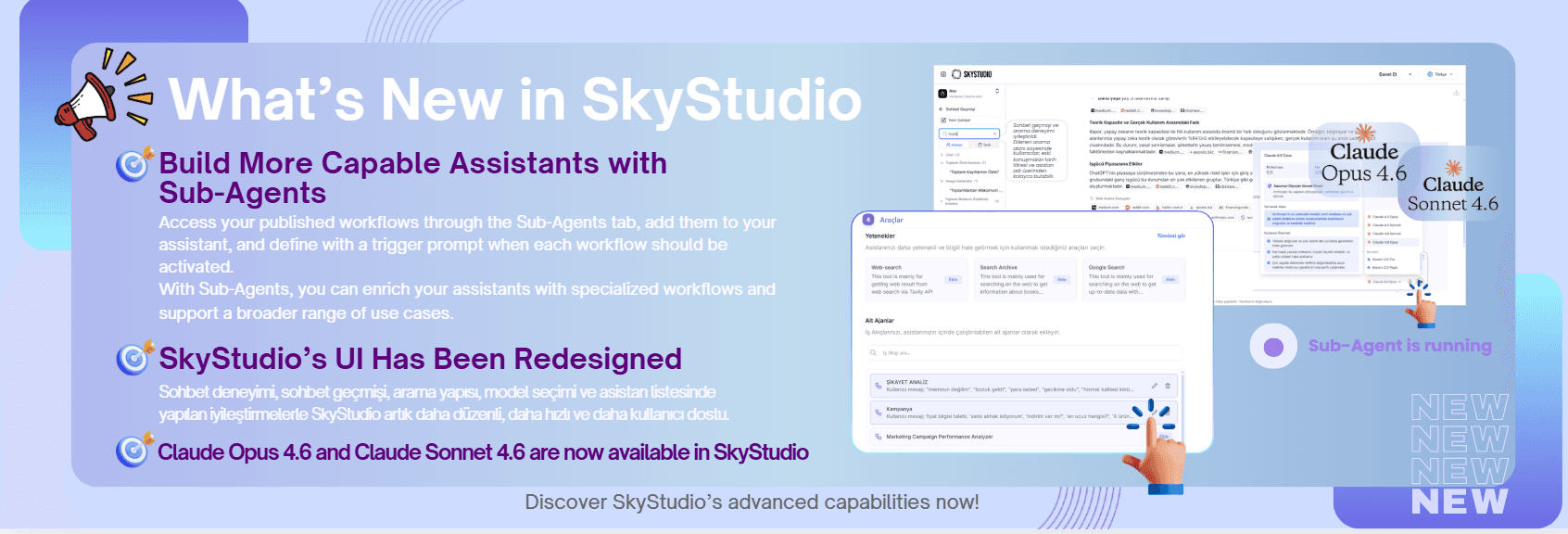
Claude 4.6 models, a redesigned UI, and Outlook in chat
Claude Opus 4.6 and Claude Sonnet 4.6 are here
This update brings our most capable models yet, a fresh new look, and a smarter way to handle email. Here's what's new:
Two new models: Claude Opus 4.6 and Claude Sonnet 4.6 are now available in SkyStudio. Pick the one that fits your task — Opus for the most complex, demanding work, and Sonnet for fast, everyday problem-solving — directly from the model picker in chat and across your assistants.
Redesigned interface: We've rolled out a refreshed SkyStudio UI for a cleaner, more streamlined experience across the platform, making it easier to navigate, build, and stay focused on your work.
Talk to your Outlook inbox: Connect Outlook and work with your email right from chat — search, filter, scan, read, summarize, and pull action items out of long threads. No more folder-digging or manual triage; just ask, and SkyStudio finds, reads, and turns your email into clear answers.
Claude Opus 4.6 and Claude Sonnet 4.6 are here
This update brings our most capable models yet, a fresh new look, and a smarter way to handle email. Here's what's new:
Two new models: Claude Opus 4.6 and Claude Sonnet 4.6 are now available in SkyStudio. Pick the one that fits your task — Opus for the most complex, demanding work, and Sonnet for fast, everyday problem-solving — directly from the model picker in chat and across your assistants.
Redesigned interface: We've rolled out a refreshed SkyStudio UI for a cleaner, more streamlined experience across the platform, making it easier to navigate, build, and stay focused on your work.
Talk to your Outlook inbox: Connect Outlook and work with your email right from chat — search, filter, scan, read, summarize, and pull action items out of long threads. No more folder-digging or manual triage; just ask, and SkyStudio finds, reads, and turns your email into clear answers.
New features
Improvements

New Models, Integration Nodes, and Agent Controls
This release brings new models, deeper enterprise integrations, and more control over assistant responses.
New AI models — GPT-5.1, Claude Sonnet 4.5, and Claude Opus 4.5: Three of the latest frontier models are now available in SkyStudio. Choose the right one for each task — Opus for the most complex, demanding work, Sonnet for fast everyday problem-solving, and GPT-5.1 as a strong general-purpose option — directly from the model picker in chat and across your assistants.
New workflow integration nodes — Canias, SAP, and Salesforce: Connect SkyStudio straight to your core business systems. These new nodes let your workflows read from and write to Canias, SAP, and Salesforce, so processes can move end to end across your ERP and CRM without manual hand-offs or copy-paste.
Ask SkyStudio (in-chat quotation): Select any text or quote in a document and turn it — along with its surrounding context — into a question with a single click on "Ask SkyStudio." It makes "explain this part" and "answer based on this" flows far faster, so you no longer have to copy passages into chat or re-explain what you're referring to in long documents.
Annotation Reply (Manage Responses): A new management area for reviewing, editing, and standardizing assistant responses. Curate the answers your assistants give to frequent questions, keep a consistent answer standard across your team, and stay in full control of assistant behavior — so quality stays predictable as usage scales.
Everything is live in SkyStudio today — connect your systems, pick a model, and start building.
This release brings new models, deeper enterprise integrations, and more control over assistant responses.
New AI models — GPT-5.1, Claude Sonnet 4.5, and Claude Opus 4.5: Three of the latest frontier models are now available in SkyStudio. Choose the right one for each task — Opus for the most complex, demanding work, Sonnet for fast everyday problem-solving, and GPT-5.1 as a strong general-purpose option — directly from the model picker in chat and across your assistants.
New workflow integration nodes — Canias, SAP, and Salesforce: Connect SkyStudio straight to your core business systems. These new nodes let your workflows read from and write to Canias, SAP, and Salesforce, so processes can move end to end across your ERP and CRM without manual hand-offs or copy-paste.
Ask SkyStudio (in-chat quotation): Select any text or quote in a document and turn it — along with its surrounding context — into a question with a single click on "Ask SkyStudio." It makes "explain this part" and "answer based on this" flows far faster, so you no longer have to copy passages into chat or re-explain what you're referring to in long documents.
Annotation Reply (Manage Responses): A new management area for reviewing, editing, and standardizing assistant responses. Curate the answers your assistants give to frequent questions, keep a consistent answer standard across your team, and stay in full control of assistant behavior — so quality stays predictable as usage scales.
Everything is live in SkyStudio today — connect your systems, pick a model, and start building.
New features

GOAT: Our Proprietary Enterprise LLM, Now Available
GOAT, our proprietary large language model, is now officially available to all enterprise customers inside SkyStudio. GOAT delivers significantly higher performance than GPT-4o, GPT-4o Mini, and Claude 3.5 Sonnet — particularly in agent and assistant use cases, conversational document understanding, and enterprise-grade reasoning and reliability.
With GOAT, you can build faster, smarter, and more accurate AI assistants that align fully with your business needs — all while keeping your data secure within SkyStudio’s trusted infrastructure. It isn’t just good at writing; it’s a model built to understand enterprise security and compliance requirements. This is a major milestone for SKYMOD, and we’re only getting started.
GOAT, our proprietary large language model, is now officially available to all enterprise customers inside SkyStudio. GOAT delivers significantly higher performance than GPT-4o, GPT-4o Mini, and Claude 3.5 Sonnet — particularly in agent and assistant use cases, conversational document understanding, and enterprise-grade reasoning and reliability.
With GOAT, you can build faster, smarter, and more accurate AI assistants that align fully with your business needs — all while keeping your data secure within SkyStudio’s trusted infrastructure. It isn’t just good at writing; it’s a model built to understand enterprise security and compliance requirements. This is a major milestone for SKYMOD, and we’re only getting started.
New features
Improvements

Outlook Mail in SkyStudio
Outlook Mail is now part of SkyStudio. Your inbox is no longer just messages — it's the starting point for automation. Tell SkyStudio "when this email arrives, do that," and it runs the process for you.
What gets easier:
Instant summary and priority — long emails become three bullets plus action items.
One-click reply drafts — personalized responses generated with your preferred LLM.
Follow-up reminders — polite nudges for threads that haven't been answered.
Daily briefing — a morning inbox digest of critical items, pending work, and to-dos.
Personal rules and templates — auto-organize by sender, subject, or label.
Connect it anywhere: Outlook and Google Calendar, Planner, Trello, Asana, OneDrive and SharePoint, Google Drive, Docs and Sheets, Notion, Microsoft Teams, and Slack.
For Sales, PM/PO, Operations, Finance, HR, and Executive Assistants — anyone who lives in email — that means less copy-paste, fewer misses, and faster outcomes.
Outlook Mail is now part of SkyStudio. Your inbox is no longer just messages — it's the starting point for automation. Tell SkyStudio "when this email arrives, do that," and it runs the process for you.
What gets easier:
Instant summary and priority — long emails become three bullets plus action items.
One-click reply drafts — personalized responses generated with your preferred LLM.
Follow-up reminders — polite nudges for threads that haven't been answered.
Daily briefing — a morning inbox digest of critical items, pending work, and to-dos.
Personal rules and templates — auto-organize by sender, subject, or label.
Connect it anywhere: Outlook and Google Calendar, Planner, Trello, Asana, OneDrive and SharePoint, Google Drive, Docs and Sheets, Notion, Microsoft Teams, and Slack.
For Sales, PM/PO, Operations, Finance, HR, and Executive Assistants — anyone who lives in email — that means less copy-paste, fewer misses, and faster outcomes.
Improvements
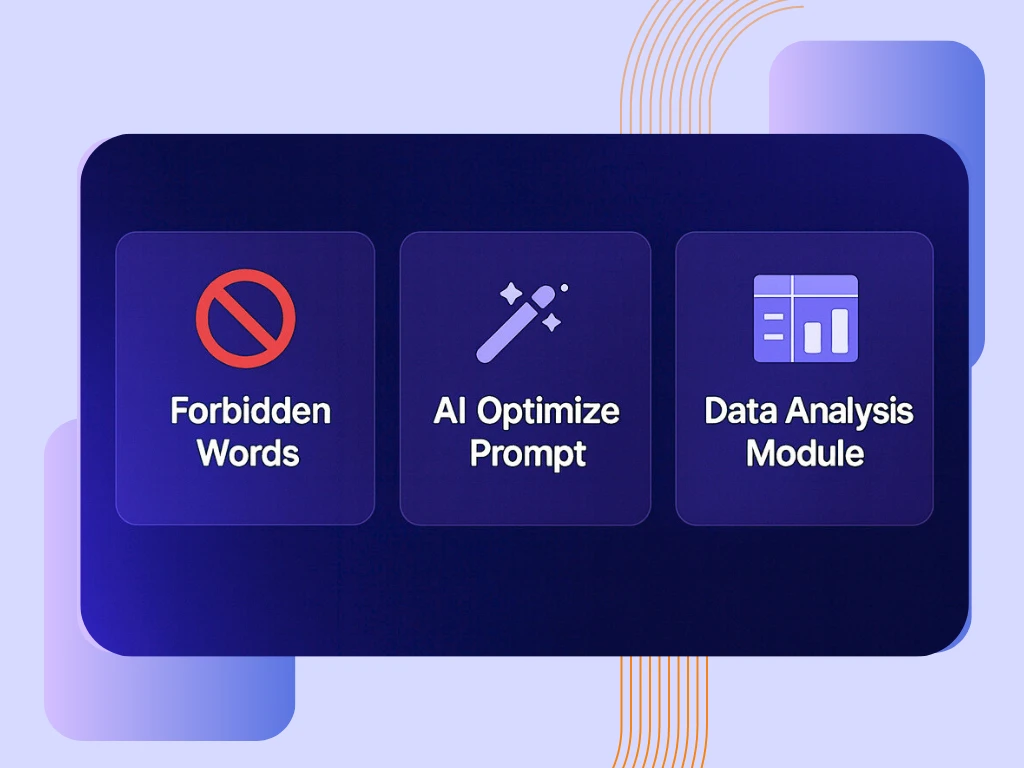
Forbidden Words • AI Optimize Prompt • Data Analysis Module
Forbidden Words
You can completely block words/phrases you don’t want in assistant responses; the system preserves meaning and returns a neutral/alternative expression. This lets you permanently filter language that doesn’t match your brand tone.
Where? Assistant Settings → Assistant Prompt → Forbidden Words
Tip: Block the word, not the topic.
AI Optimize Prompt
Automatically refines your assistant prompt for alignment in language, structure, and purpose; removes redundancies and clarifies role/tone/output format. Just click Optimize. You can revert with Undo.
What it delivers: Standardizes role, tone, goal, context, and format for more predictable outputs.
Data Analysis Module for Workflows
Extract short summaries and basic statistics from Excel/CSV tables and use them in workflow steps. Select your data source, define question/output templates, and connect the result to the next node.
Setup: Workflow → Actions → drag and drop Data Analysis node.
Forbidden Words
You can completely block words/phrases you don’t want in assistant responses; the system preserves meaning and returns a neutral/alternative expression. This lets you permanently filter language that doesn’t match your brand tone.
Where? Assistant Settings → Assistant Prompt → Forbidden Words
Tip: Block the word, not the topic.
AI Optimize Prompt
Automatically refines your assistant prompt for alignment in language, structure, and purpose; removes redundancies and clarifies role/tone/output format. Just click Optimize. You can revert with Undo.
What it delivers: Standardizes role, tone, goal, context, and format for more predictable outputs.
Data Analysis Module for Workflows
Extract short summaries and basic statistics from Excel/CSV tables and use them in workflow steps. Select your data source, define question/output templates, and connect the result to the next node.
Setup: Workflow → Actions → drag and drop Data Analysis node.
Improvements
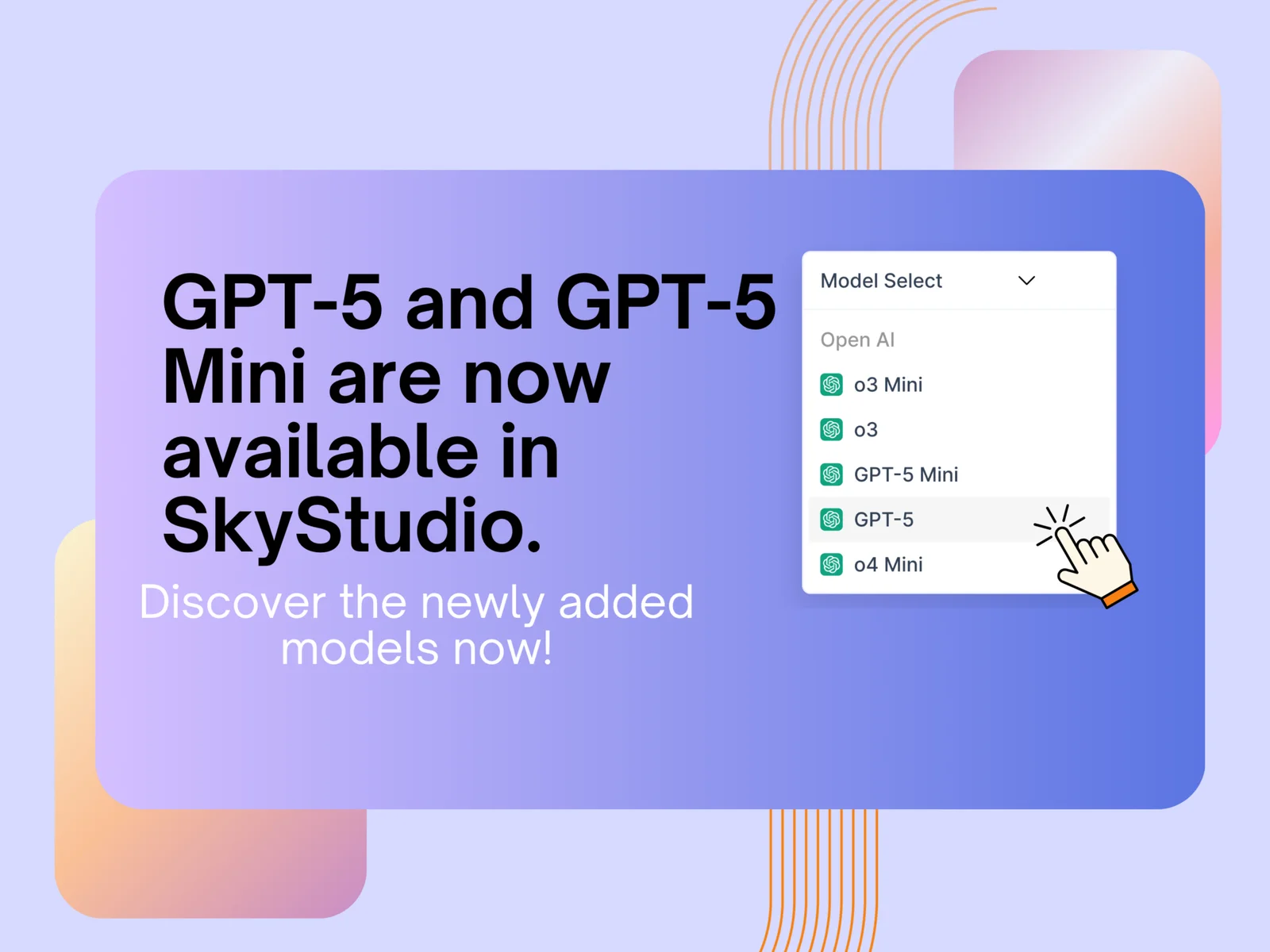
OpenAI's New Model, GPT-5, is Now in SkyStudio!
GPT-5 and GPT-5 Mini are now available in SkyStudio. You can use these models in both chat and while creating assistants.
GPT-5: Used in situations that require complex tasks, in-depth analysis, strong reasoning, and high accuracy. GPT-5 Mini: Provides fast productivity with low latency for situations where speed and cost are a priority, and you need short, repetitive answers.
Now, you can easily choose the most suitable model for your needs in every session.
GPT-5 and GPT-5 Mini are now available in SkyStudio. You can use these models in both chat and while creating assistants.
GPT-5: Used in situations that require complex tasks, in-depth analysis, strong reasoning, and high accuracy. GPT-5 Mini: Provides fast productivity with low latency for situations where speed and cost are a priority, and you need short, repetitive answers.
Now, you can easily choose the most suitable model for your needs in every session.
Improvements
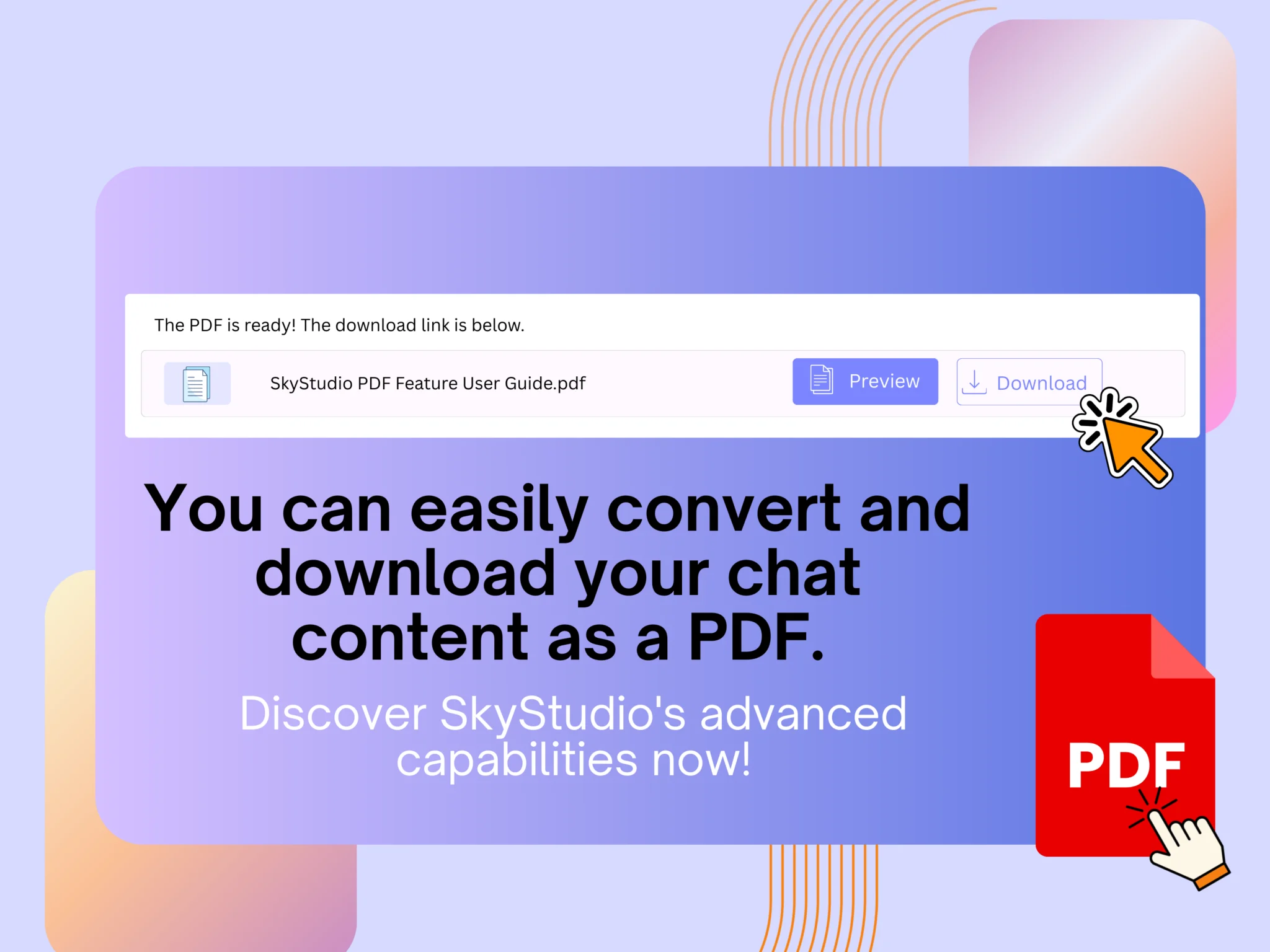
Create Custom PDFs for Your Needs from Chats.
Convert the content you select in the chat to a PDF. Instead of exporting the entire conversation, just request the section you need.For example, type “From the work plan above, extract only the delivery schedule and give a PDF output” or “Create a 1-page executive summary from this conversation; I will download it as a PDF.”
The chat window focuses on your intent to produce the exact target content you request. When the response is ready, you can preview the content with the PDF option on it and download it to your device.
This output is not the entire conversation but a single response produced by your request. This way, you can easily convert summaries, reports, and workflows into shareable and archivable PDFs with a single click.
Convert the content you select in the chat to a PDF. Instead of exporting the entire conversation, just request the section you need.For example, type “From the work plan above, extract only the delivery schedule and give a PDF output” or “Create a 1-page executive summary from this conversation; I will download it as a PDF.”
The chat window focuses on your intent to produce the exact target content you request. When the response is ready, you can preview the content with the PDF option on it and download it to your device.
This output is not the entire conversation but a single response produced by your request. This way, you can easily convert summaries, reports, and workflows into shareable and archivable PDFs with a single click.
New features
Improvements
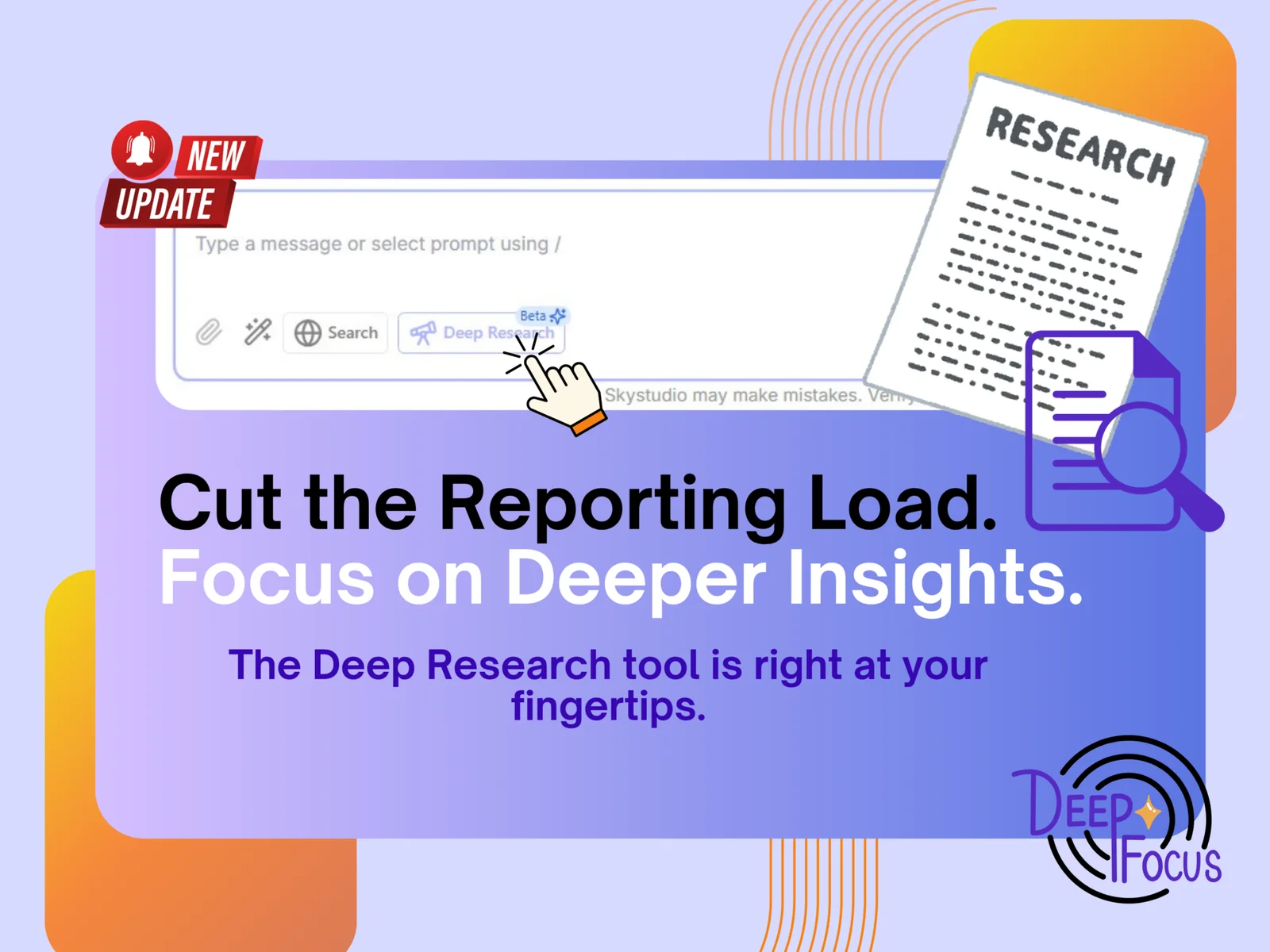
Meet Deep Research: Live Now on SkyStudio with Real-Time, Multi-Source Insights
Accessing accurate and up-to-date information instantly is now effortless. Deep Research uses AI-powered real-time web scanning to gather, verify, and analyze data from multiple trusted sources — delivering you comprehensive insights that give your business a clear advantage.
What does Deep Research do?
It quickly collects complex information from diverse sources, validates it, and provides transparent, reliable answers so you can make informed decisions with confidence.
Who benefits and why does it matter?
In today’s fast-paced business environment, timely and accurate information is crucial. Deep Research supports organizations with information-heavy and complex decision-making needs, helping you stay ahead of competitors and minimize risks — from market intelligence to regulatory updates.
How does it work?
Once you submit your query, our AI scans the web in real-time, gathers relevant data, and presents it clearly with full source transparency. You can easily activate the feature by clicking the “Deep Research” button. Plus, turn your results into professional reports within seconds using the “Download” button — simple, fast, and practical.
Say goodbye to information overload. With Deep Research, base your business decisions on precise, trustworthy data.
Accessing accurate and up-to-date information instantly is now effortless. Deep Research uses AI-powered real-time web scanning to gather, verify, and analyze data from multiple trusted sources — delivering you comprehensive insights that give your business a clear advantage.
What does Deep Research do?
It quickly collects complex information from diverse sources, validates it, and provides transparent, reliable answers so you can make informed decisions with confidence.
Who benefits and why does it matter?
In today’s fast-paced business environment, timely and accurate information is crucial. Deep Research supports organizations with information-heavy and complex decision-making needs, helping you stay ahead of competitors and minimize risks — from market intelligence to regulatory updates.
How does it work?
Once you submit your query, our AI scans the web in real-time, gathers relevant data, and presents it clearly with full source transparency. You can easily activate the feature by clicking the “Deep Research” button. Plus, turn your results into professional reports within seconds using the “Download” button — simple, fast, and practical.
Say goodbye to information overload. With Deep Research, base your business decisions on precise, trustworthy data.
New features
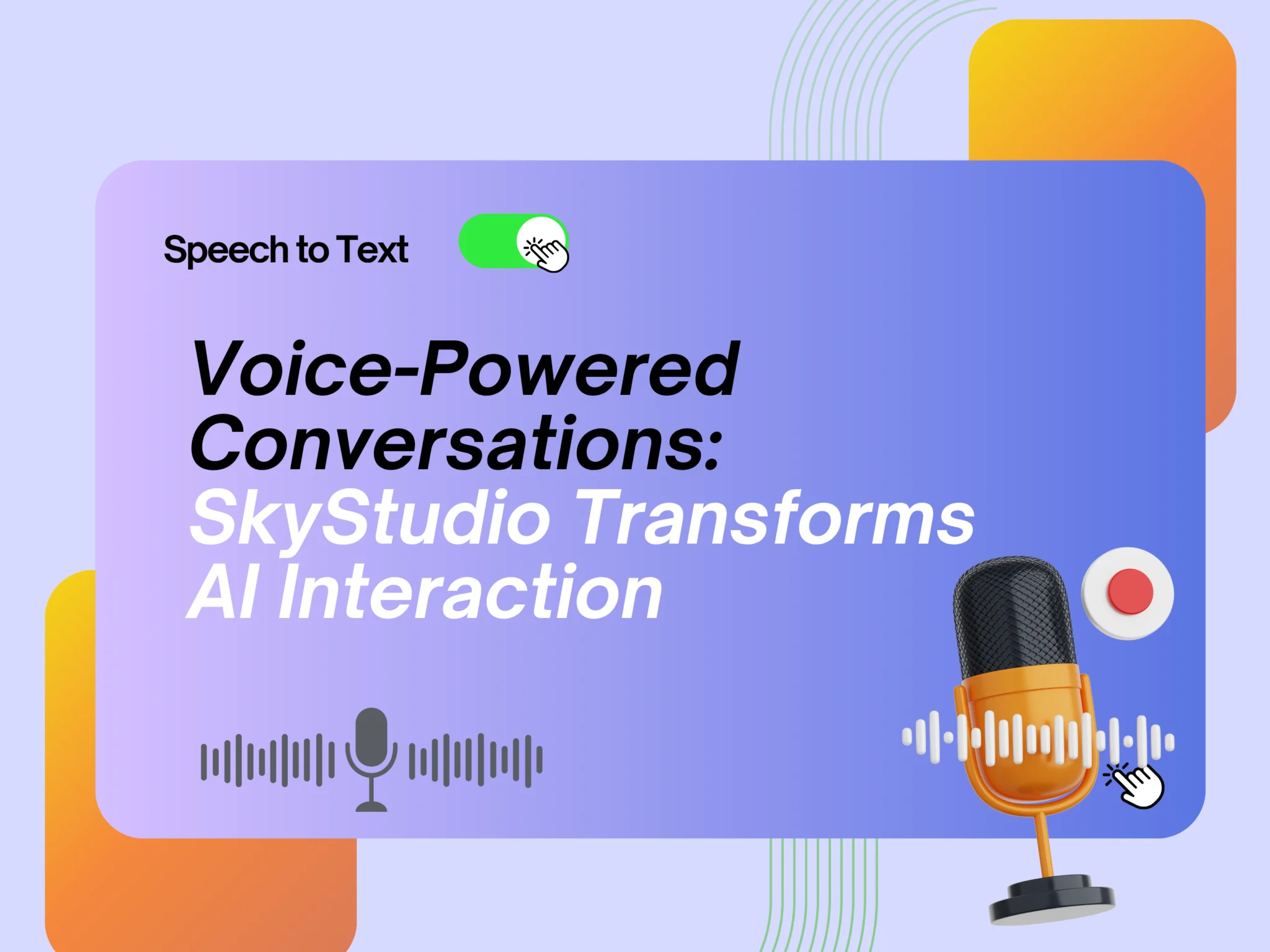
SkyStudio Launches Voice Chat: Making Your AI Interactions More Practical and Natural
At SkyStudio, we are thrilled to announce the launch of the voice input (speech-to-text) feature on our AI chat platform! With this enhancement, users can now interact with their AI assistants using their voices, in addition to traditional written text.
This new capability offers the flexibility to communicate anywhere, anytime with our integrated assistants. It provides significant convenience in situations where keyboard access is difficult or when you need to convey information quickly.
Practical Use Cases: This feature will serve as a lifesaver for scenarios like factory or field environments where practical voice recording is necessary and typing isn’t feasible.
On-the-Go Communication: Whether you’re on the move, your hands are full, or you simply desire a more natural communication method, you can instantly convey your thoughts verbally.
Ease and Efficiency: Simply speak to interact with your AI assistant. This ensures your AI is always with you, ready to respond to your voice.
This feature can be activated for both assistants within the SkyStudio platform and within integrated AI solutions.
At SkyStudio, we are thrilled to announce the launch of the voice input (speech-to-text) feature on our AI chat platform! With this enhancement, users can now interact with their AI assistants using their voices, in addition to traditional written text.
This new capability offers the flexibility to communicate anywhere, anytime with our integrated assistants. It provides significant convenience in situations where keyboard access is difficult or when you need to convey information quickly.
Practical Use Cases: This feature will serve as a lifesaver for scenarios like factory or field environments where practical voice recording is necessary and typing isn’t feasible.
On-the-Go Communication: Whether you’re on the move, your hands are full, or you simply desire a more natural communication method, you can instantly convey your thoughts verbally.
Ease and Efficiency: Simply speak to interact with your AI assistant. This ensures your AI is always with you, ready to respond to your voice.
This feature can be activated for both assistants within the SkyStudio platform and within integrated AI solutions.